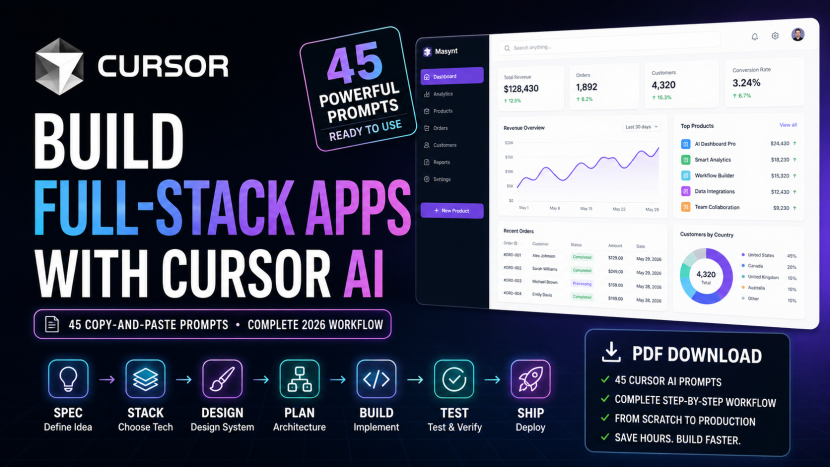
45 Cursor AI Prompts to Build Full-Stack Apps in 2026
45 Cursor AI Prompts to Build Full-Stack Apps in 2026
These are the exact copy-and-paste prompts used in my full-stack AI workflow tutorial.
Follow them in order inside Cursor AI.
Each prompt is designed for a specific stage of the workflow, from product planning and architecture to implementation, testing, review, debugging, and deployment.
The workflow is:
Understand → Specify → Tech Stack → Design System → Architecture → Database → Security → Testing → Context → Plan → Skills → Agent → Build → Test → Review → Debug → Verify → Deploy
PART 1 — PRODUCT & REQUIREMENTS
Prompt 1 — Understand the Idea
I,, want to build a full-stack SaaS web application called DevBoard. DevBoard is a simple project and task management application for individual developers and small development teams. Do not write code. Your job right now is to help me understand the product before we specify or implement it. Analyze the idea and identify: 1. the primary user 2. the main problem the product solves 3. the core user journey 4. the minimum useful version of the product 5. important product questions that are currently unanswered 6. assumptions we should avoid making 7. features that may sound useful but should probably remain outside version 1 Keep version 1 intentionally small. We will use your analysis to create the product requirements next. Do not choose technologies yet. Do not create architecture yet. Do not implement anything.Prompt 2 — Create PRODUCT.md
Based on our discussion, create: docs/PRODUCT.md The document should contain: # DevBoard ## Product Overview ## Target User ## Problem Statement ## Product Goal ## Core User Journey ## Version 1 Scope ## Explicitly Out of Scope ## Product Principles Keep this focused on the product. Do not include implementation details, frameworks, databases, libraries, folder structures, or architecture. Create the file only. Do not start implementing the application.Prompt 3 — Create SPEC.md
Read @docs/PRODUCT.md. Do not write application code. We now need to turn the product idea into a precise version 1 specification. Create docs/SPEC.md. Include: # DevBoard Version 1 Specification ## Actors ## Functional Requirements Define clear requirements for: - registration - login - logout - authenticated dashboard - project creation - project viewing - project editing - project deletion - task creation - task editing - task deletion - task statuses - project progress calculation - dashboard statistics ## Authorization Requirements Clearly specify which resources a user may and may not access. ## Validation Requirements Define important validation rules. ## Error Behaviour Define expected behaviour for common errors. ## Responsive Requirements ## Accessibility Requirements ## Non-Functional Requirements Include security, maintainability and performance expectations appropriate for a small SaaS application. ## Edge Cases ## Acceptance Criteria Every functional feature should have verifiable acceptance criteria. ## Out of Scope Do not choose implementation technologies. Do not write code. Where something cannot be inferred safely from PRODUCT.md, state the assumption explicitly rather than silently inventing requirements.PART 2 — TECH STACK & DESIGN SYSTEM
Prompt 4 — Analyze the Tech Stack
Read: @docs/PRODUCT.md @docs/SPEC.md Do not write code. We need to choose the technical stack for DevBoard. Our constraints: - JavaScript/TypeScript ecosystem - one developer or small team - web application - server-rendered and interactive UI - relational project/task data - secure authentication - strong type safety - simple deployment - good AI-agent support - easy local development - maintainable architecture - automated testing Evaluate an appropriate stack for: - full-stack framework - language - styling - component library - database - ORM/database layer - authentication - validation - unit/integration testing - end-to-end testing - package manager - deployment For each decision: 1. recommend one primary option 2. explain why 3. mention the most important tradeoff 4. reject unnecessary complexity I am currently considering: - Next.js - TypeScript - Tailwind CSS - shadcn/ui - PostgreSQL - Prisma - Better Auth - Zod - Vitest - Playwright - pnpm - Vercel Challenge any choice you believe does not fit the requirements. Do not implement anything.Prompt 5 — Create TECH_STACK.md
Create docs/TECH_STACK.md using the stack we approved. Include: # Technology Stack ## Runtime and Language ## Full-Stack Framework ## UI and Styling ## Database ## Database Access ## Authentication ## Validation ## Testing ## Package Management ## Deployment ## Development Tooling For each technology explain: - its responsibility in the project - why we selected it - what it should NOT be responsible for Finish with: ## Architecture Constraints These should prevent future implementation from introducing overlapping technologies without justification. For example: - do not introduce another ORM - do not introduce another styling system - do not introduce another validation library without a documented reason Do not write application code.Prompt 6 — Define the Design Direction
Read: @docs/PRODUCT.md @docs/SPEC.md @docs/TECH_STACK.md Do not implement UI yet. We need a coherent design system for DevBoard. DevBoard should feel: - modern - professional - clean - developer-focused - simple - premium but not flashy - easy to scan - suitable for a productivity SaaS application Use a bright light interface as the primary theme. We will use shadcn/ui primitives and Tailwind CSS. Develop a visual direction covering: - color system - typography - spacing - border radius - borders - shadows - icons - page width - dashboard layout - navigation - cards - buttons - inputs - selects - dialogs - dropdowns - badges - tables - task status indicators - loading states - empty states - error states - success feedback - responsive behaviour - accessibility - hover/focus/disabled states Prefer reusable tokens and existing component primitives. Avoid arbitrary styles. Do not build pages yet. Present the proposed system for review.Prompt 7 — Create DESIGN_SYSTEM.md
Create docs/DESIGN_SYSTEM.md based on the approved design direction. The document must be actionable enough that an AI coding agent can implement consistent interfaces without inventing new styles on each page. Include: # DevBoard Design System ## Design Principles ## Color Tokens ## Typography ## Spacing ## Layout ## Border Radius ## Borders and Shadows ## Iconography ## Buttons ## Forms ## Cards ## Navigation ## Tables ## Status Indicators ## Dialogs and Overlays ## Feedback ## Loading States ## Empty States ## Error States ## Responsive Rules ## Accessibility ## UI Implementation Rules Important implementation rules: - prefer existing shadcn/ui primitives - create reusable components when patterns repeat - do not create page-specific versions of existing primitives without a reason - do not use arbitrary colors when a design token exists - do not introduce another component library - all interactive components must include appropriate hover, focus and disabled states - mobile layout must be intentionally designed, not simply squeezed desktop UI Do not implement application pages.PART 3 — ARCHITECTURE, DATABASE, SECURITY & TESTING
Prompt 8 — Design the Architecture
Read all current project documentation: @docs/PRODUCT.md @docs/SPEC.md @docs/TECH_STACK.md @docs/DESIGN_SYSTEM.md Do not write application code. Design the software architecture for DevBoard. The architecture must remain appropriate for a small maintainable SaaS application. Avoid enterprise complexity. Define: 1. application boundaries 2. frontend responsibilities 3. server responsibilities 4. authentication flow 5. authorization strategy 6. validation boundaries 7. database access boundaries 8. feature organization 9. reusable UI organization 10. error handling strategy 11. testing strategy 12. environment configuration 13. where business rules should live Propose a folder structure. Important principles: - authorization must be enforced server-side - never trust client-provided ownership data - validate data at system boundaries - keep database access server-side - prefer server components unless client interactivity requires a client component - avoid unnecessary abstraction - keep features cohesive - security-sensitive logic must be easy to find and review Highlight any architectural decision that needs my approval. Do not generate implementation yet.Prompt 9 — Create ARCHITECTURE.md
Create docs/ARCHITECTURE.md using the approved architecture. Include: # DevBoard Architecture ## Architecture Overview ## Request Flow ## Frontend Responsibilities ## Server Responsibilities ## Authentication Boundary ## Authorization Boundary ## Validation Boundary ## Database Boundary ## Feature Organization ## UI Component Organization ## Error Handling ## Environment Configuration ## Testing Boundaries ## Proposed Folder Structure ## Architectural Rules ## Decisions We Are Intentionally Avoiding Do not implement application functionality.Prompt 10 — Design the Database
Read: @docs/SPEC.md @docs/TECH_STACK.md @docs/ARCHITECTURE.md Do not create Prisma files yet. Design the relational data model required for DevBoard version 1. We need to represent: - users - projects - tasks - project ownership - task status - timestamps For each entity define: - fields - data types conceptually - required versus optional fields - relationships - unique constraints - indexes - deletion behaviour - ownership rules Consider: - authorization queries - project progress calculation - common dashboard queries - data integrity - avoiding unnecessary denormalization Also identify security-sensitive assumptions. Keep the model minimal. Do not create tables or migrations yet.Prompt 11 — Create DATABASE.md
Create docs/DATABASE.md from the approved data model. Include: # DevBoard Data Model ## User ## Project ## Task ## Relationships ## Ownership Rules ## Task Status ## Constraints ## Indexes ## Deletion Behaviour ## Common Queries ## Data Integrity Rules ## Security Considerations Do not create Prisma schema or migrations yet.Prompt 12 — Create SECURITY.md
Read: @docs/SPEC.md @docs/ARCHITECTURE.md @docs/DATABASE.md Create docs/SECURITY.md. Do not implement anything. Define the security requirements for DevBoard version 1. Cover: ## Authentication ## Session Handling ## Authorization ## Resource Ownership ## Input Validation ## Database Access ## Secrets and Environment Variables ## Error Information Exposure ## CSRF Considerations ## XSS Considerations ## Injection Risks ## Rate Limiting Considerations ## Dependency Security ## Logging ## Sensitive Data ## Security Verification Critical rules: - users must never access another user's private projects or tasks - ownership must be determined server-side - never trust a user ID received from the browser for authorization - validate all external input - secrets must never be committed - client-side checks are UX, not authorization - destructive actions require server-side authorization Keep requirements appropriate for this application. Do not add security products or dependencies unless clearly justified.Prompt 13 — Create TESTING.md
Read: @docs/SPEC.md @docs/ARCHITECTURE.md @docs/SECURITY.md Create docs/TESTING.md. Do not implement tests yet. Define our verification strategy. Separate: ## Unit Tests ## Integration Tests ## End-to-End Tests ## Manual Verification Define what must be verified for: - authentication - project creation - project editing - project deletion - task creation - task updates - task deletion - authorization - validation - project progress - dashboard calculations For authorization, explicitly include tests proving: - unauthenticated users cannot access protected functionality - User A cannot read User B's projects - User A cannot modify User B's projects - User A cannot modify User B's tasks - client-provided ownership information cannot bypass server authorization Include: ## Definition of Done A feature is not complete merely because the UI works. Specify all verification requirements before a feature can be marked complete.PART 4 — CURSOR CONTEXT & PLANNING
Prompt 14 — Create AGENTS.md
Read: @docs/PRODUCT.md @docs/SPEC.md @docs/TECH_STACK.md @docs/DESIGN_SYSTEM.md @docs/ARCHITECTURE.md @docs/DATABASE.md @docs/SECURITY.md @docs/TESTING.md Create AGENTS.md in the project root. This file should contain concise persistent instructions for AI agents working on DevBoard. Do NOT copy the entire documentation into AGENTS.md. Reference the canonical docs instead. Include: # DevBoard Agent Instructions ## Source of Truth Tell the agent which docs define: - product - requirements - technology - UI - architecture - database - security - testing ## Working Method Before changing code: 1. understand the requested task 2. inspect relevant files 3. check applicable documentation 4. identify risks 5. plan non-trivial work 6. make the smallest coherent change 7. test it 8. review the diff 9. report what was verified ## Engineering Rules Include rules such as: - TypeScript only - avoid any unless justified - avoid unnecessary dependencies - do not modify unrelated code - never weaken tests merely to make them pass - never bypass TypeScript or lint errors - never expose secrets - never trust client ownership information - enforce authorization server-side - validate external input - follow the design system - reuse existing components - keep abstractions proportional to current requirements ## Behaviour When Uncertain If requirements conflict or are genuinely unclear, identify the conflict rather than silently inventing behaviour. Keep AGENTS.md concise.Prompt 15 — Create Cursor Project Rules
Create these Cursor project rules: .cursor/rules/project.mdc .cursor/rules/frontend.mdc .cursor/rules/backend.mdc .cursor/rules/testing.mdc Use valid Cursor .mdc rule frontmatter. PROJECT RULE project.mdc should always apply. It should: - reference AGENTS.md - tell Agent to follow docs as the source of truth - inspect before editing - avoid unrelated changes - require verification before claiming completion FRONTEND RULE frontend.mdc should apply intelligently to frontend/UI work. It should reference: @docs/DESIGN_SYSTEM.md @docs/SPEC.md Require: - reuse of existing components - shadcn/ui before custom primitives - accessible HTML - responsive layouts - loading/error/empty states where appropriate - no arbitrary visual styles that contradict the design system BACKEND RULE backend.mdc should apply intelligently to server/database/auth work. Reference: @docs/ARCHITECTURE.md @docs/DATABASE.md @docs/SECURITY.md Require: - server-side authorization - input validation - no client-controlled ownership - safe error handling - database access through approved project patterns TESTING RULE testing.mdc should apply intelligently when tests are created or changed. Reference: @docs/TESTING.md Require: - test observable behaviour - include failure paths - include authorization boundaries - never weaken assertions just to make tests pass - regression tests for fixed bugs Keep each rule focused and concise. Do not implement product features.Prompt 16 — Create the Master Implementation Plan
Read the project documentation and instructions: @AGENTS.md @docs/PRODUCT.md @docs/SPEC.md @docs/TECH_STACK.md @docs/DESIGN_SYSTEM.md @docs/ARCHITECTURE.md @docs/DATABASE.md @docs/SECURITY.md @docs/TESTING.md Do not write code yet. Create an implementation plan for DevBoard version 1. Break the project into independently verifiable milestones. I want approximately this progression: 1. project initialization 2. development tooling 3. design foundation 4. database setup 5. authentication 6. protected application shell 7. project management 8. task management 9. dashboard statistics 10. automated testing 11. security review 12. responsive/accessibility review 13. production build 14. deployment For every milestone specify: - objective - dependencies - files or areas likely to change - important implementation decisions - security concerns - testing requirements - manual verification - completion criteria Keep milestones small enough that we can implement, inspect and verify them one at a time. Also identify work that should NOT be parallelized because later stages depend on earlier architectural decisions. Do not implement anything.Prompt 17 — Create PLAN.md
Create docs/PLAN.md using the implementation plan we approved. Represent each milestone using markdown checkboxes. Every milestone must contain: - goal - implementation tasks - verification tasks - completion criteria Do not mark anything complete yet.PART 5 — BUILD THE APPLICATION
Prompt 18 — Initialize the Project
Read: @AGENTS.md @docs/TECH_STACK.md @docs/ARCHITECTURE.md @docs/PLAN.md Implement only Milestone 1: Project Initialization. Initialize the approved Next.js TypeScript application in the current repository. Requirements: - use pnpm - use the App Router - use TypeScript - configure Tailwind CSS - preserve our existing docs, AGENTS.md and .cursor directory - create a sensible src-based structure - do not implement product features - do not add authentication - do not add the database yet After initialization: 1. install dependencies 2. run linting 3. run type checking if available 4. run the production build 5. report all commands executed 6. report all files created or modified 7. update only the relevant checkboxes in docs/PLAN.md Stop after Milestone 1.Prompt 19 — Build the Design Foundation
Read: @docs/DESIGN_SYSTEM.md @docs/TECH_STACK.md @docs/ARCHITECTURE.md @docs/PLAN.md Implement only the approved design-foundation milestone. Tasks: - configure the approved font - establish design tokens - configure global styling - install/configure shadcn/ui correctly - add only the base primitives needed immediately - create reusable application-level UI primitives only where justified Create a small internal style-preview page if useful for verifying: - typography - buttons - inputs - cards - badges - status styles - loading states Do not build the product dashboard yet. Verification: - responsive behaviour - keyboard focus states - contrast - lint - type check - production build Follow DESIGN_SYSTEM.md exactly. Report changes and update PLAN.md only after verification passes.Prompt 20 — Set Up PostgreSQL and Prisma
Read: @docs/DATABASE.md @docs/ARCHITECTURE.md @docs/SECURITY.md @docs/TECH_STACK.md @docs/PLAN.md Implement only the database setup milestone. Use PostgreSQL and Prisma as specified. Requirements: - install/configure Prisma - create the schema based on DATABASE.md - do not add fields that are not justified by the specification - create environment-variable configuration safely - create .env.example - ensure real secrets remain gitignored - generate the client - create the initial migration if the local database is available Before applying destructive database actions, explain them. Verification: - Prisma schema validates - client generates successfully - migration state is valid - application still type-checks - production build still succeeds Report any mismatch between DATABASE.md and what Prisma requires. Do not implement authentication or application features yet.Prompt 21 — Implement Authentication
Read: @docs/SPEC.md @docs/TECH_STACK.md @docs/ARCHITECTURE.md @docs/DATABASE.md @docs/SECURITY.md @docs/TESTING.md @docs/DESIGN_SYSTEM.md Implement only the authentication milestone. Use the authentication technology approved in TECH_STACK.md. Implement: - registration - login - logout - session handling - protected dashboard access Requirements: - follow the existing design system - validate input - handle duplicate/invalid registration safely - show useful but safe errors - do not expose sensitive authentication details - use server-side authentication checks for protected routes - do not implement project/task functionality yet Add the appropriate tests defined by TESTING.md. After implementation: 1. run automated tests 2. run lint 3. run type checking 4. run the build 5. manually verify registration 6. manually verify login 7. manually verify logout 8. manually verify unauthenticated protected-route access Do not mark the milestone complete until verification passes. Report: - files changed - tests added - commands run - security-sensitive decisions - remaining risksPrompt 22 — Review UI with Browser Context
Inspect the current page using @Browser. Compare the implementation against @docs/DESIGN_SYSTEM.md. Do not redesign the page. Identify only concrete inconsistencies involving: - spacing - typography - component reuse - responsive layout - focus states - loading states - accessibility Explain findings before modifying anything.Prompt 23 — Build the Application Shell
Read: @docs/SPEC.md @docs/DESIGN_SYSTEM.md @docs/ARCHITECTURE.md Implement the authenticated application-shell milestone only. Create: - responsive application navigation - dashboard layout - mobile navigation - user account/logout access - page-header pattern - content container pattern Do not implement project CRUD yet. Requirements: - reuse design-system primitives - maintain keyboard accessibility - provide intentional mobile behaviour - avoid unnecessary client components - do not introduce new visual conventions Verify: - desktop layout - tablet layout - mobile layout - keyboard navigation - authenticated access - production build Update PLAN.md only after verification passes.Prompt 24 — Implement Create Project
Read: @docs/SPEC.md @docs/DESIGN_SYSTEM.md @docs/ARCHITECTURE.md @docs/DATABASE.md @docs/SECURITY.md @docs/TESTING.md Implement only the Create Project feature. Before modifying files: 1. inspect the current project structure 2. inspect the current authentication implementation 3. inspect database access patterns 4. explain your proposed implementation Requirements: - authenticated user can create a project - project name is required - project description is optional - validate all input on the server - the project owner must come from the authenticated session - never accept ownerId/userId from the client as authorization truth - unauthenticated users cannot create projects - return safe errors - follow the design system - include loading and error behaviour - maintain accessibility - do not modify unrelated features Tests must verify: - valid project creation - missing/invalid name - unauthenticated request - project belongs to authenticated user - client cannot assign ownership to another user After implementation: - run relevant tests - run lint - run type checking - run build - manually create a project through the UI - verify it persists after refresh Report everything verified. Do not continue to another feature.Prompt 25 — Create the Implement Feature Skill
Create a Cursor Agent Skill at: .cursor/skills/implement-feature/SKILL.md Name: implement-feature Purpose: Implement one bounded DevBoard feature safely from specification through verification. The skill should instruct the agent to: 1. identify the exact requested feature 2. read relevant project documentation 3. inspect existing implementation patterns 4. identify affected security boundaries 5. create a concise implementation approach 6. implement only the requested feature 7. add/update tests 8. run relevant tests 9. run lint 10. run type checking 11. run production build when appropriate 12. inspect the diff 13. verify acceptance criteria 14. report unresolved risks Rules: - do not expand scope - do not modify unrelated code - do not silently alter requirements - do not weaken tests - do not bypass type safety - enforce authorization server-side - validate external input - reuse the design system - verify before claiming completion Reference canonical project docs rather than duplicating their entire content. Create the skill only. Do not implement another feature yet.Prompt 26 — Implement Project List
Implement the Project List feature defined in @docs/SPEC.md. Use the project's implement-feature workflow. Important requirements: - authenticated users see only projects they own - authorization must be enforced in the database/server query - include appropriate empty state - include loading behaviour where required - follow DESIGN_SYSTEM.md - include tests proving one user cannot see another user's projects Implement only this feature.Prompt 27 — Implement Edit Project
Implement the Edit Project feature defined in @docs/SPEC.md. Use the project's implement-feature workflow. Security requirement: The server must prove that the authenticated user owns the project before allowing modification. Test: - valid owner update - non-owner update attempt - unauthenticated update - invalid input - nonexistent project Implement only this feature.Prompt 28 — Implement Delete Project
Implement the Delete Project feature defined in @docs/SPEC.md. Use the project's implement-feature workflow. Before implementation, confirm the approved deletion behaviour in @docs/DATABASE.md. Security requirement: Only the authenticated project owner may delete the resource. Tests must include: - owner deletion - non-owner deletion attempt - unauthenticated attempt - related-data behaviour - nonexistent project Use the design system for destructive-action confirmation. Implement only this feature.Prompt 29 — Implement Task Creation
Implement the Create Task feature from @docs/SPEC.md. Use the project's implement-feature workflow. Requirements: - authenticated user can create a task only inside a project they own - title required - description optional - status must use an allowed value - validate input server-side - project ownership must be verified server-side - never trust project ownership claims from the client Tests: - successful task creation - invalid input - unauthenticated request - task creation inside another user's project must fail - invalid status must fail Follow DESIGN_SYSTEM.md for the form and status UI. Implement only this feature.Prompt 30 — Implement Task Updates
Implement task editing and task-status updates according to @docs/SPEC.md. Use the implement-feature workflow. Security requirement: Before updating a task, prove through the server/database relationship that the authenticated user owns the task's project. Test: - valid task edit - valid status transition - invalid status - unauthenticated request - another user's task cannot be modified Implement only this feature.Prompt 31 — Implement Dashboard Statistics
Implement the dashboard statistics defined in @docs/SPEC.md. Use the project's implement-feature workflow. Dashboard should show only data belonging to the authenticated user. Include the approved metrics such as: - total projects - total tasks - Todo tasks - In Progress tasks - Done tasks - overall or per-project completion progress where specified Requirements: - calculate values from authoritative server data - do not trust client-calculated ownership - avoid unnecessary database queries - handle a new user with no projects elegantly - follow DESIGN_SYSTEM.md Add tests for the calculations and ownership boundary. Implement only dashboard statistics and their presentation.PART 6 — REVIEW, DEBUG & VERIFY
Prompt 32 — Create the Code Review Skill
Create: .cursor/skills/code-review/SKILL.md Name: code-review Purpose: Perform a structured review of DevBoard changes without immediately modifying code. Review categories: 1. specification compliance 2. correctness 3. authentication 4. authorization 5. input validation 6. data integrity 7. error handling 8. TypeScript safety 9. maintainability 10. unnecessary complexity 11. performance concerns 12. accessibility 13. design-system consistency 14. test quality 15. missing tests For each issue report: - severity: critical, high, medium, low - affected file - explanation - evidence - smallest recommended fix Important: Do not change code during the initial review. Avoid subjective style comments unless they affect maintainability or violate project rules. Reference the project docs as the source of truth.Prompt 33 — Review the Current Implementation
Review the current DevBoard implementation against: @docs/SPEC.md @docs/ARCHITECTURE.md @docs/SECURITY.md @docs/TESTING.md @docs/DESIGN_SYSTEM.md Use the project's code-review workflow. Inspect the current working diff and relevant surrounding code. Do not change files. Prioritize: 1. security vulnerabilities 2. authorization bypasses 3. missing requirements 4. incorrect behaviour 5. weak tests 6. data-integrity problems 7. accessibility issues 8. unnecessary complexity Also identify requirements in SPEC.md that are not currently proven by tests. Return findings ordered by severity.Prompt 34 — Create the Security Reviewer Subagent
Create a Cursor subagent at: .cursor/agents/security-reviewer.md Name: security-reviewer Description: Reviews DevBoard changes for authentication, authorization, validation, data access and security vulnerabilities. The agent should: - operate primarily as a reviewer - inspect relevant code - compare against SECURITY.md - identify vulnerabilities - provide evidence - classify severity - recommend fixes It should pay special attention to: - broken object-level authorization - client-controlled ownership IDs - missing authentication - server/client trust boundaries - validation bypass - unsafe database queries - leaked sensitive information - insecure secrets - destructive actions The initial review should not modify code.Prompt 35 — Create the Test Reviewer Subagent
Create: .cursor/agents/test-reviewer.md Name: test-reviewer Description: Reviews whether DevBoard tests actually prove required behaviour. The agent should compare implementation and tests against: @docs/SPEC.md @docs/TESTING.md It should identify: - untested requirements - weak assertions - tests that mirror implementation rather than behaviour - missing failure paths - missing authorization scenarios - missing regression coverage - flaky patterns - excessive mocking that hides integration problems The initial review should not modify code.Prompt 36 — Debug Root Cause
We have a bug in DevBoard. Do not modify code yet. Use available evidence such as: @Browser @Terminals and inspect relevant source files. Debug systematically. Follow this process: 1. reproduce or clearly define the failure 2. collect evidence 3. trace the execution path 4. identify where observed behaviour diverges from expected behaviour 5. identify the root cause 6. distinguish root cause from secondary symptoms 7. identify the smallest correct fix 8. identify a regression test Do not guess. If evidence is insufficient, state what evidence is missing. Explain the diagnosis before modifying code.Prompt 37 — Create the Debug Skill
Create: .cursor/skills/debug/SKILL.md Name: debug Purpose: Systematically diagnose DevBoard bugs before changing code. Workflow: 1. define expected behaviour 2. reproduce the failure 3. collect evidence 4. inspect logs/errors 5. trace relevant code 6. identify root cause 7. propose minimal fix 8. create regression test 9. apply approved fix 10. run affected tests 11. run broader verification where necessary 12. verify the original bug no longer occurs Rules: - do not make speculative edits - do not suppress errors - do not disable tests - do not add arbitrary delays/retries without proving the cause - fix root causes rather than symptomsPrompt 38 — Implement the Approved Bug Fix
Implement the approved fix for the diagnosed bug. Add the regression test first or alongside the fix. Then verify: - regression test fails against the broken behaviour where practical - fix makes it pass - related tests still pass - lint passes - type checking passes - build passes if affected Do not refactor unrelated code. Report the root cause, fix and verification.Prompt 39 — Final Requirements Audit
Perform a final DevBoard requirements audit. Read: @docs/PRODUCT.md @docs/SPEC.md @docs/SECURITY.md @docs/TESTING.md Inspect the current application and tests. Do not modify code. Create a requirements traceability report. For every acceptance criterion in SPEC.md classify it as: - VERIFIED - PARTIALLY VERIFIED - NOT VERIFIED - NOT IMPLEMENTED For every VERIFIED item, identify the evidence: - automated test - implementation location - manual verification where necessary Do not mark something VERIFIED simply because matching code exists. Verification requires evidence that the behaviour works. List all remaining release blockers.Prompt 40 — Final Security Review
Delegate a focused final security review using the security-reviewer subagent where appropriate. Review DevBoard against @docs/SECURITY.md. Prioritize exploitable issues. Specifically attempt to identify: - unauthenticated protected actions - horizontal authorization bypass - cross-user project access - cross-user task access - client-controlled owner identity - validation bypass - sensitive information exposure - unsafe environment handling - insecure destructive actions Do not modify code. Return evidence-based findings ranked by severity.Prompt 41 — Final Test Quality Review
Perform a final test-quality review using the test-reviewer where appropriate. Compare: @docs/SPEC.md @docs/TESTING.md against the actual test suite. Do not modify code. Identify: - untested acceptance criteria - missing authorization tests - weak assertions - false-positive tests - unnecessary mocks - missing end-to-end coverage for critical user journeys Rank missing coverage by risk.Prompt 42 — Implement Critical End-to-End Test
Using the approved Playwright setup, implement the minimum end-to-end coverage required by @docs/TESTING.md. Prioritize one complete critical user journey: 1. register/login 2. enter protected dashboard 3. create a project 4. create a task 5. change task status 6. verify dashboard/project progress updates 7. refresh and confirm persistence 8. logout 9. confirm protected routes are no longer accessible Add additional E2E cases only where TESTING.md identifies them as release-critical. Keep tests deterministic. Avoid brittle selectors. Prefer accessible roles and labels. Run the E2E tests and report results.Prompt 43 — Responsive and Accessibility Review
Review the current DevBoard interface against @docs/DESIGN_SYSTEM.md and the responsive/accessibility requirements in @docs/SPEC.md. Use browser inspection where available. Check representative: - mobile - tablet - desktop Review: - navigation - authentication forms - dashboard - project list - project forms - task interactions - dialogs - loading states - empty states - errors Look for: - overflow - clipped content - unusable touch targets - inconsistent spacing - poor hierarchy - inaccessible labels - keyboard traps - invisible focus - inadequate feedback - inconsistent component usage Do not modify anything yet. Report concrete findings with locations and recommended fixes.Prompt 44 — Production Readiness Review
Perform a production-readiness review for DevBoard. Do not deploy yet. Check: - required environment variables - .env.example completeness - secrets are ignored by Git - database migrations - production build - lint - type checking - unit/integration tests - end-to-end tests - authentication configuration - production callback/origin configuration where applicable - error handling - logging - security findings - unresolved TODO/FIXME items - unused debugging code - console statements that should not remain - accessibility blockers - specification blockers Return: ## READY or ## NOT READY Do not use READY unless all release-critical checks pass. List exact blockers if not ready.Prompt 45 — Review Git Before Release
Review the current Git working state before release. Do not modify files. Identify: - accidental files - secrets - generated files that should not be committed - debugging artifacts - unrelated changes - suspicious large diffs - unfinished TODOs Then summarize the release diff in logical groups.Final Workflow
Use these prompts as a starting framework and adapt them to your own application.
The complete workflow is:
Understand → Specify → Tech Stack → Design System → Architecture → Database → Security → Testing → Context → Plan → Skills → Tools/MCP → Agent → Build → Test → Review → Debug → Verify → Deploy
The goal is not to blindly copy every prompt into every project.
The goal is to give AI enough structure, context, constraints, and verification criteria to help you build real software while you remain responsible for the engineering decisions.

Article by Masynctech Coding School
Published 23 Aug 2026